Case study / Prevent — College Patrol

Play first.
Talk next.

A short game to open a conversation about online safety. Built around familiar places, shaped by students, and followed by discussion and scenarios on their phones.

Approx. 10-minute introductionBrowser & mobileStudent playtested

The starting point

A lecture.
With a difference.

I received my first spontaneous round of applause during a Prevent lecture. I’m sure it wasn’t just the delivery: we’d had fun playing and learning together.

To kick things off, I created a short game for students to play before we moved into the presentation, videos and discussion. It gave us a shared experience to talk about, rather than starting with a room full of passive listeners.

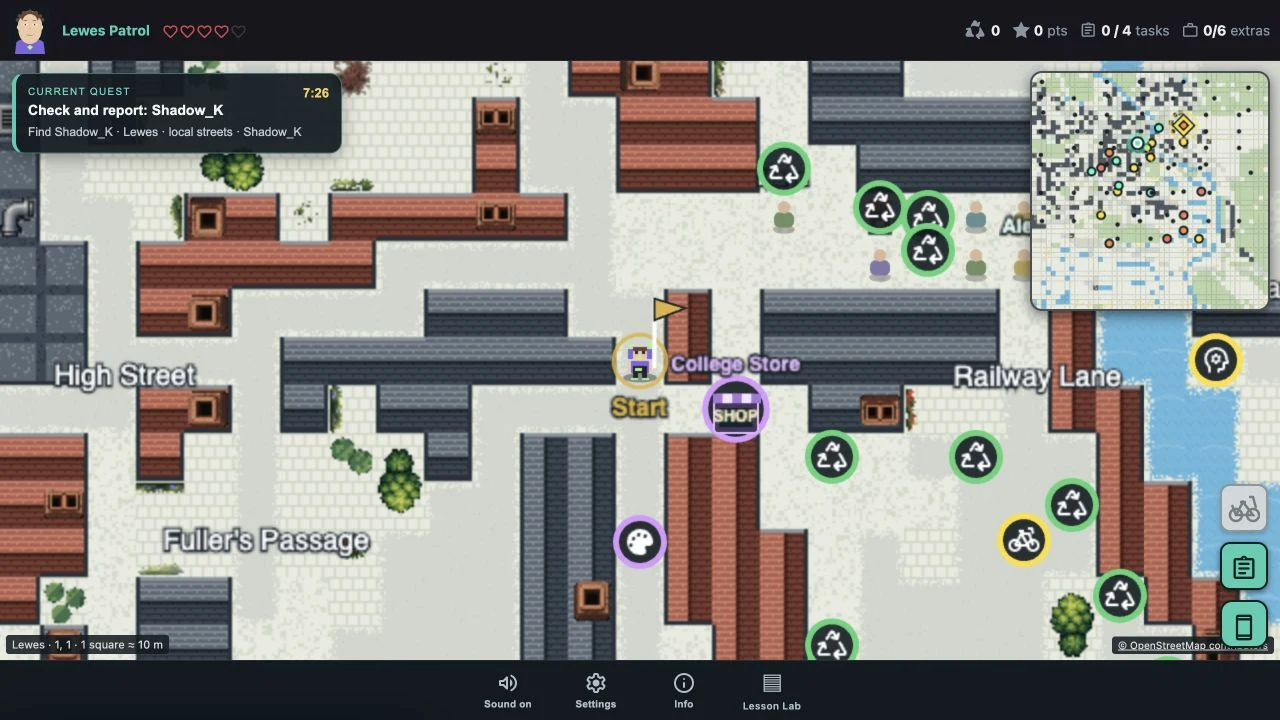
College Patrol gameplay in Lewes, showing streets, characters, the current quest and minimap
Exploring Lewes in College Patrol. Map data © OpenStreetMap contributors. Select the image to view it full size.
01 / A world they recognise

Familiar streets.
New conversations.

What started as an idea for a walk around Brighton, talking to non-player characters (NPCs), grew into a game taking in all the East Sussex College Group sites.

The Brighton setting shifted to the MET. Many of my students progress there, and I’d already built the maps, so it made sense to keep it in the world. Familiar places gave students a reason to explore and someone to talk to along the way.
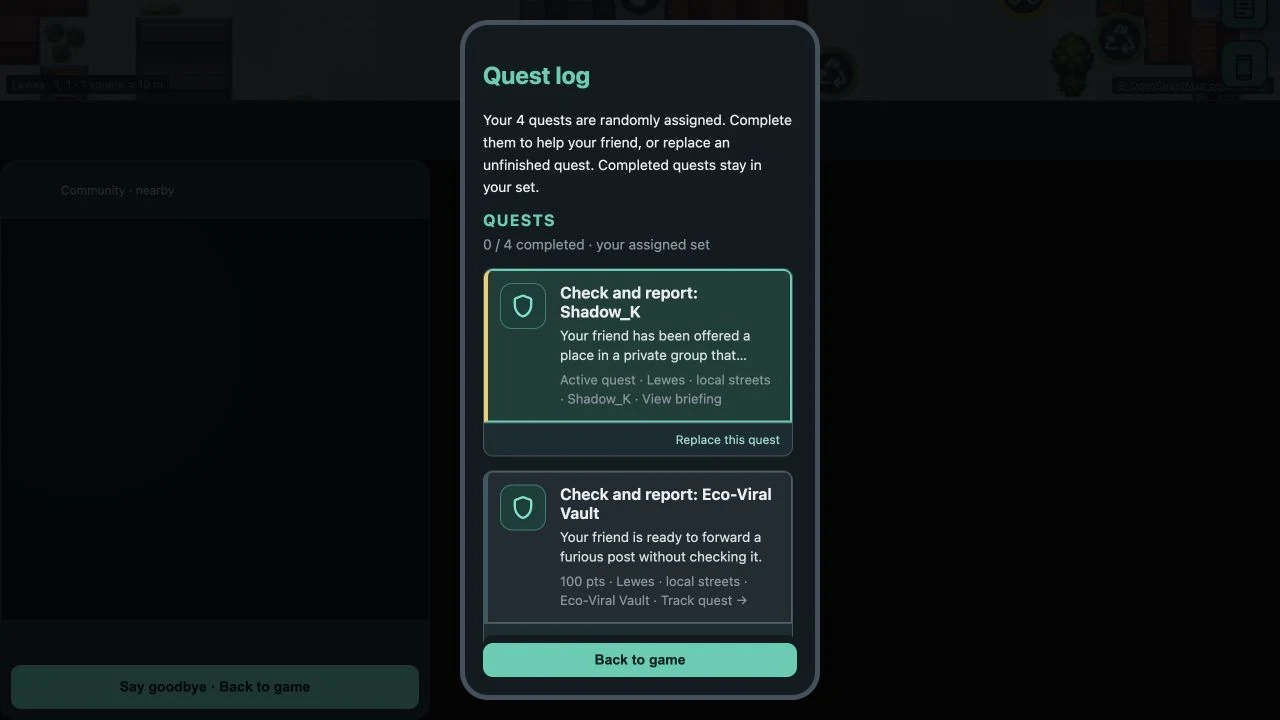
The College Patrol quest log, with assigned online safety scenarios and optional items
The quest log gives players concrete situations to investigate, alongside optional discoveries. Select the image to view it full size.
02 / Built with student feedback

Their ideas.
Part of the game.

I had great fun playtesting with my students and adding Easter eggs, including famous faces to find and talk to in each town. The students brought ideas of their own.

One wanted to help people experiencing homelessness, so we added a voucher-giving system. Others suggested travelling between locations by train or bus, or finding bicycles and skateboards to get around town. Their feedback helped shape what the game could become.

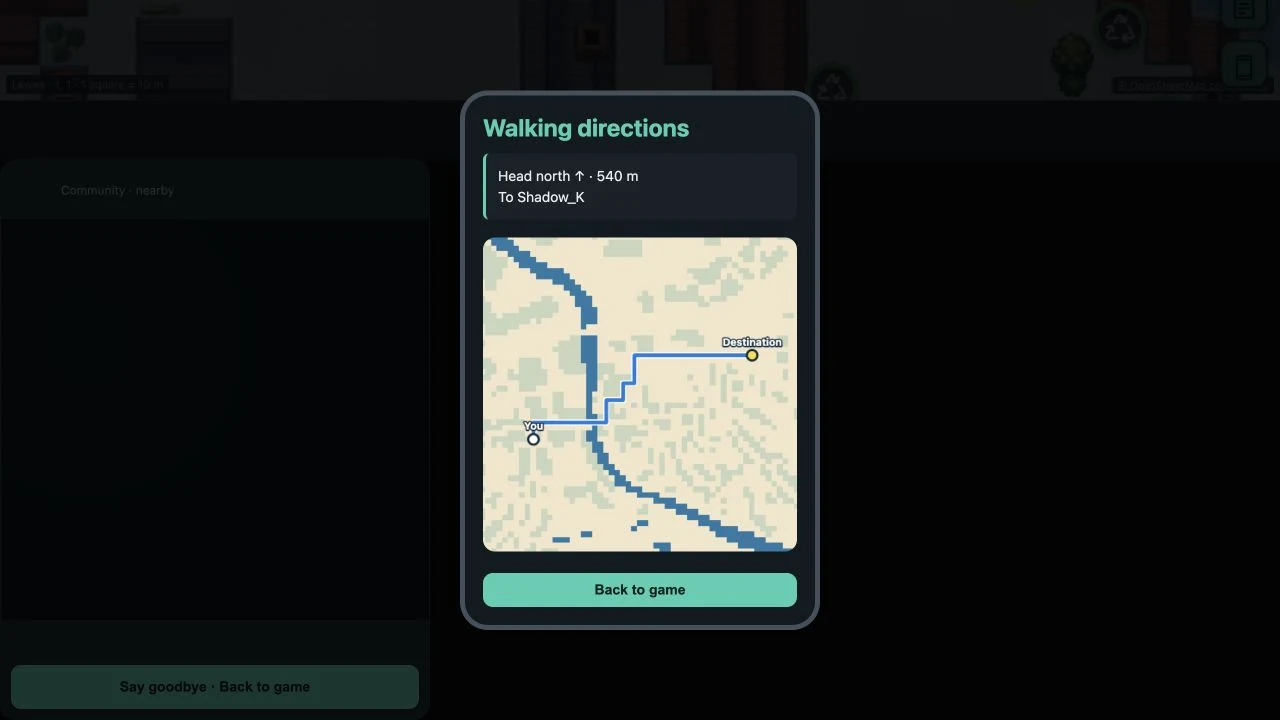
An in-game phone showing walking directions to the current quest destination
Walking directions keep the exploration approachable. Map data © OpenStreetMap contributors. Select the image to view it full size.
03 / Explore, experiment, discuss

A little freedom.
A reason to care.

The game is designed as a roughly ten-minute introduction. Students can explore, meet characters and try things out before we bring those experiences into the lesson.

A map and walking directions help players find their way. The aim is to get everyone involved quickly, with enough freedom to be curious and enough direction to keep the session moving.

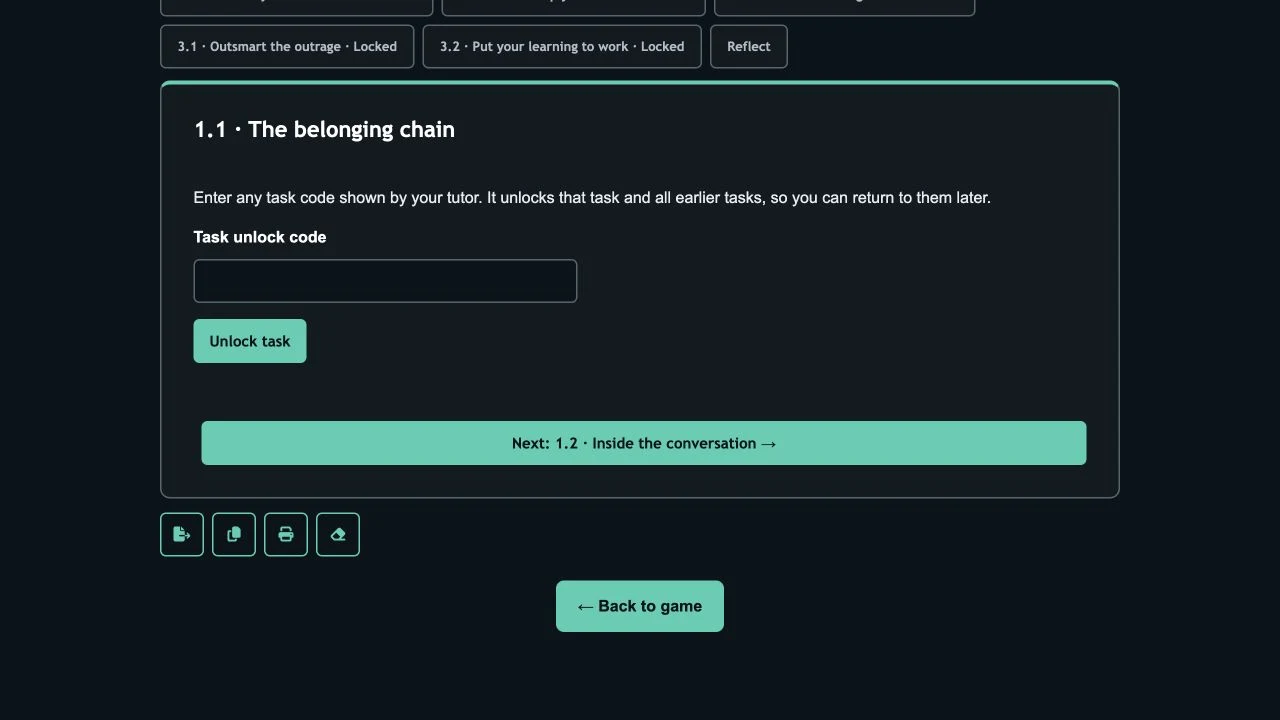
The Lesson Lab task unlock screen, showing the tutor code field and next scenario
Tutor codes unlock the relevant tasks and let students return to earlier activities. Select the image to view it full size.
04 / From play to reflection

The game opens
the conversation.

After playing, we move into a presentation, helpful videos and a series of scenarios that students work through on their phones. The game starts the conversation; the follow-up gives us time to think, discuss and explain our choices.

I added a code system so students could go straight to the relevant scenarios without jumping ahead of the session. It keeps the experience easy to navigate while letting me guide the pace of the lesson.

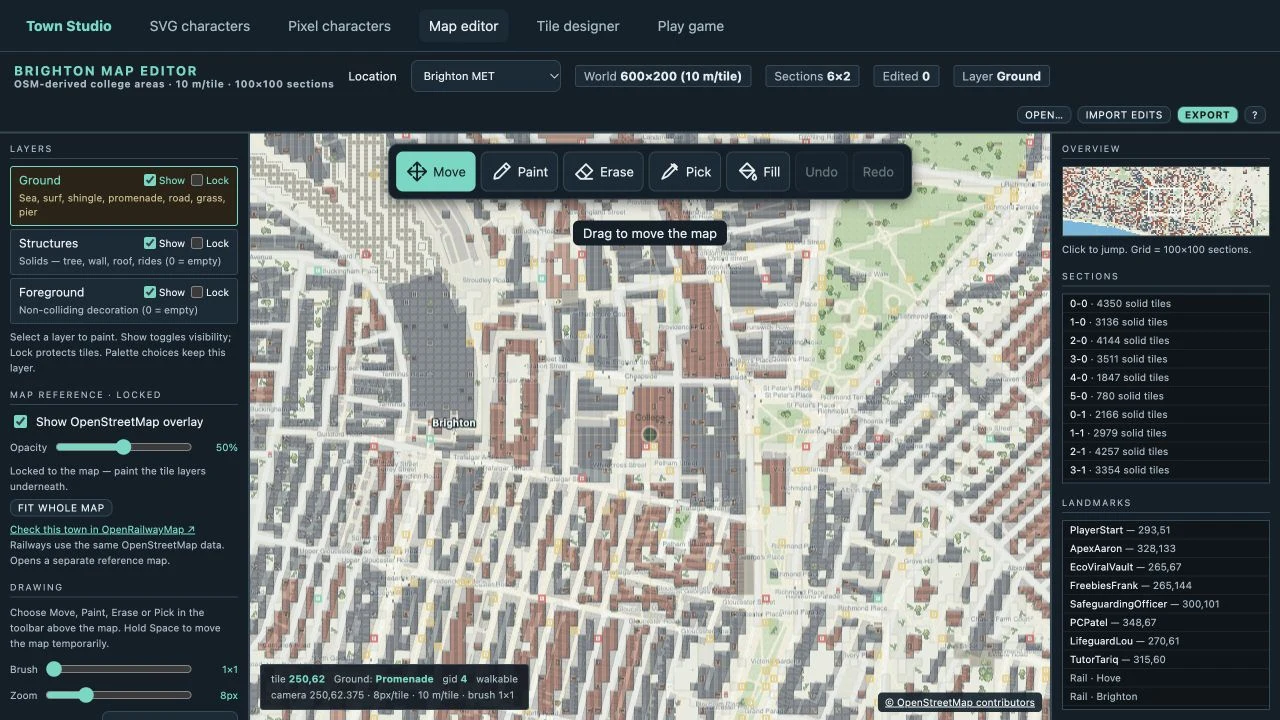
The Brighton tile-map editor with map layers, tile palette and town overview
The map editor behind the game, showing the Brighton MET world and its editable layers. Select the image to view it full size.
05 / The tools behind the world

Build the tools.
Then the game.

Behind the scenes, I drew on APIs and data sources including the Post Office, OpenStreetMap, National Rail and Forest Research to help build the maps.

As with most games, I needed to build some of the tools before I could build the game itself. The tile-map editor is one example: a way to work on the places, layers and details that make the world playable. The companion tile designer supports the visual building blocks.

“Learning doesn’t have to be passive. Sometimes, the best way to engage students is to let them explore, experiment and have a bit of fun along the way.”

Nigel Morris / Pixelagent

Try it for yourself

Take a
short patrol.

Explore the game, see the tools behind it, or browse more of my teaching resources.